


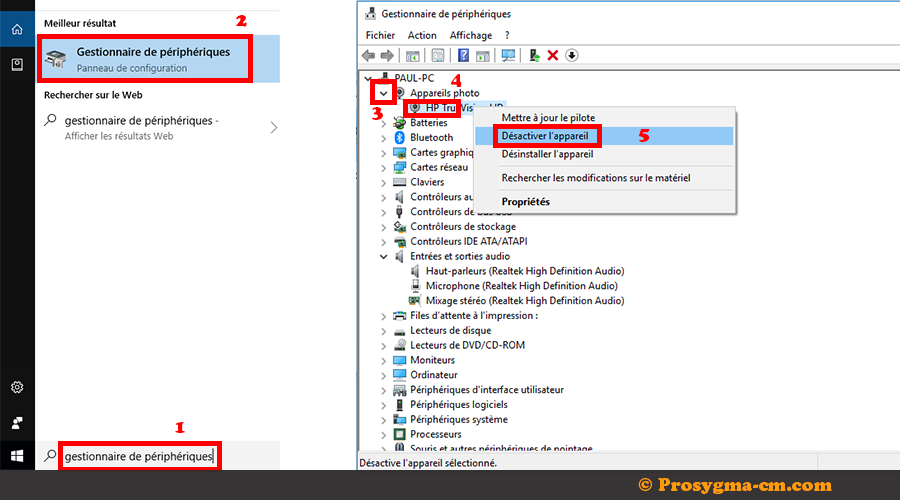
1. Deploy the Start menu: search for the Device Manager.
2. Deploy the associated menu to reveal all the devices attached to it.
3. Right-click on the device and choose « Disable device. Validate » Yes. »


Publier le : 14 août 2019 Temps de lecture : 0 s
1. Deploy the Start menu: search for the Device Manager.
2. Deploy the associated menu to reveal all the devices attached to it.
3. Right-click on the device and choose « Disable device. Validate » Yes. »
Publier le : 14 août 2019 Temps de lecture : 0 s
1. Deploy the Start menu: search for the Device Manager.
2. Deploy the associated menu to reveal all the devices attached to it.
3. Right-click on the device and choose « Disable device. Validate » Yes. »